
LifeMD: Telehealth Services
LifeMDMedical
4.7735.00 Reviews
- Version
- 76.0.0
- Installs
- 100.00K
- Age Rating
- Teen
Screenshots
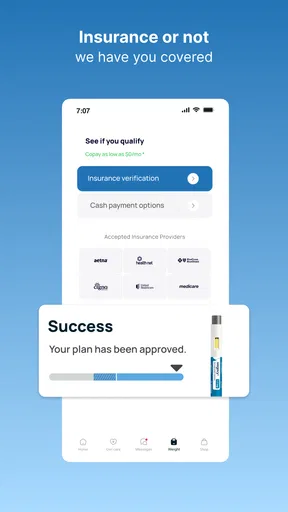
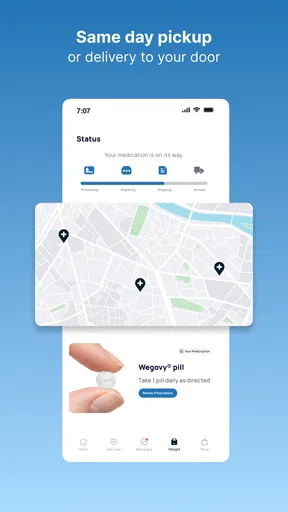
Our Review of LifeMD: Telehealth Services
 Analysis by Appyee
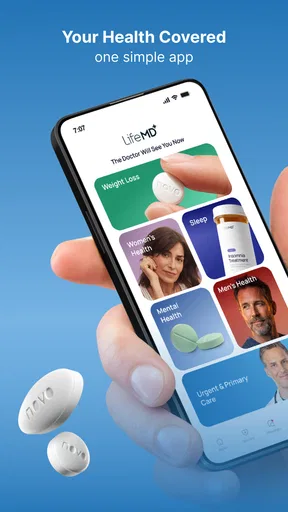
When I look at LifeMD: Telehealth Services, the most useful idea is not simply that it puts healthcare on a phone. Its real appeal is bringing several kinds of virtual health support into one place: urgent care, weight support, and general wellness. I find that combination practical for people who want a clear starting point without switching between several unrelated medical apps.
This is a free medical app from LifeMD, aimed at teenagers and older users. It has built a strong public reputation, with a 4.7 average from around 4.4 thousand ratings, and it has passed the 100 thousand install mark. Those figures suggest that many people are comfortable trying it, although popularity should not be confused with a replacement for emergency care or an in-person clinician.
My overall view is that the app works best as a convenient front door to virtual healthcare. It can reduce the effort involved in deciding where to begin, especially when a concern feels important but does not seem immediately life-threatening. The trade-off is that convenience cannot remove the limits of remote medicine: some conditions still need a physical examination, testing, or urgent attention in person.
One virtual starting point instead of several separate services
I’d frame this section around the decision that comes before any consultation: which kind of support fits the concern? Keeping urgent care, weight support, and wellness under one roof can reduce the need to compare separate services, but it still helps to arrive with a clear purpose. I’ll look at where that shared entry point is genuinely useful and where a specialist or local clinician may be the better first call.
The capability that matters most
The central capability is the way LifeMD groups urgent care, weight support, and wellness inside one virtual health service. In everyday use, that matters because health questions rarely arrive in neat categories. A person may begin with a short-term concern, then realize they also need help with a longer-term goal such as weight management or healthier routines.
With a conventional approach, I might search separately for an urgent-care clinic, a weight-support program, and general health advice. That creates extra decisions before care even begins. LifeMD gives those needs a shared starting point, which is its clearest advantage over a collection of single-purpose apps.
I would not describe this as an all-in-one replacement for a family doctor. Instead, I see it as a useful access layer. It helps organize the first step, particularly when the main problem is uncertainty: should I seek care now, arrange a routine appointment, or look for ongoing support?
The strongest benefit is reduced friction at the beginning of a healthcare decision. That may sound modest, but it can make a real difference when someone is tired, worried, busy, or unsure how serious a symptom might be. A simple route into the right type of virtual service is more useful than a long menu of disconnected tools.
How the three areas change the experience
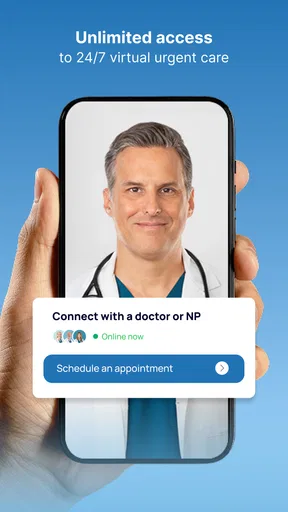
Urgent care is the most immediate use case. It suits situations where a person wants medical guidance without first travelling to a clinic, waiting in a reception area, or deciding which local service might accept them. It is still important to use common sense: severe symptoms, major injuries, breathing difficulty, or any possible emergency belong with emergency services, not a telehealth app.
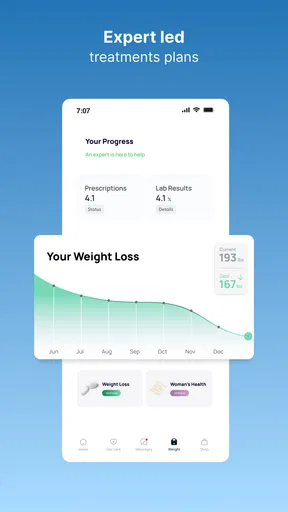
Weight support has a different rhythm. It is not usually a one-question interaction. People considering this kind of help often need to explain their goals, health background, habits, and concerns over time. Having that pathway beside urgent care and wellness makes the app feel broader than a symptom-checking tool, but it also means users should approach it as a health discussion rather than a quick promise of results.
Wellness is the least dramatic category, yet it may be the most useful for regular engagement. It gives the app a role beyond moments of illness. I can imagine someone using the service when they want to discuss a health goal before it becomes a larger problem, rather than waiting until they need urgent attention.
What happens in a realistic first visit
A realistic first session begins with a decision about the kind of support needed. I would recommend choosing the narrowest honest description rather than selecting urgent care simply because it sounds faster. Clear information at the beginning makes a virtual consultation more useful and reduces the chance of expecting the wrong type of help.
Before starting, I would prepare a short timeline of the issue, a list of current medicines or supplements, relevant medical conditions, allergies, and the questions I actually want answered. This is one of the most valuable practical tips for telehealth in general, but it matters especially here because the clinician cannot rely on a physical waiting-room conversation to uncover every detail.
For a weight-support consultation, I would also write down the goal in ordinary language. “I want to improve my health and understand my options” is more useful than focusing only on a target number. Mentioning previous attempts, daily routines, eating patterns, and any concerns about treatment helps the conversation stay realistic and personal.
The app’s value is therefore not limited to the screen itself. It is also the structure it gives to the interaction. By separating urgent care, weight support, and wellness, it encourages a user to think about the kind of help they need before beginning.
Using LifeMD in practice
The everyday value of a telehealth app depends partly on what is happening around the user, not just on the care options it presents. I’ll consider how a busy day, a private conversation, or an unreliable connection can shape the experience, and why preparing notes before opening the service may matter more than browsing in the moment. Those details help distinguish convenient access from a consultation that is actually ready to begin.
A better workflow for busy days
Imagine waking up with a new but manageable health concern before a workday. You do not want to spend the morning calling clinics, but you also do not want to ignore the issue. In that situation, I would use LifeMD as an initial virtual route: gather the relevant details, choose urgent care, and keep the description focused.
The practical advantage is not that the app makes a diagnosis instantly. It is that it can help turn an unstructured worry into a healthcare conversation. If the issue is suitable for remote care, that may save time. If it needs in-person attention, the consultation can still help clarify the next step instead of leaving the user to guess.
There is a second, less obvious use. Someone may download the app for urgent care but later use the same service to think about weight support or wellness. That continuity can be helpful because health goals are connected. A user does not have to treat a short-term concern and a longer-term goal as completely separate parts of life.
For the best experience, I would avoid opening the app only when already overwhelmed. Installing it in advance, reviewing the available care areas, and knowing where to begin can make an eventual urgent-care visit less stressful. This is particularly sensible for people who dislike making phone calls or who live far from convenient clinics.
Questions users should answer before relying on it
One natural question is whether the service can replace a regular doctor. In my view, it should not be treated that way. It can complement primary care by offering a convenient virtual entry point, but ongoing conditions, preventive care, examinations, and complex medical histories may require a clinician who knows the patient over time and can arrange physical tests.
Another question is whether it is appropriate for teenagers. The app carries a Teen content rating, so it is positioned for that age group as well as adults. Still, a teenager should involve a parent, guardian, or trusted adult when appropriate, especially for sensitive symptoms, medication questions, or weight-related concerns. The age label does not remove the need for responsible support.
Users may also wonder whether free means every healthcare interaction is automatically without cost. The app itself is free to install, but healthcare services can involve their own eligibility, coverage, or payment conditions. I would check the terms shown during the actual care pathway rather than assuming that the download price describes every service.
A final practical question is whether an older phone can run it. LifeMD currently lists version 76.0.0 and requires at least iOS or Android version 10. That is a reasonably clear technical threshold, but anyone using an older device should update the operating system first if possible. A functioning camera, microphone, stable connection, and private place to talk are just as important as the app version.
Where it compares well with ordinary alternatives
Compared with visiting an urgent-care center for every non-emergency concern, LifeMD can be more convenient and less disruptive. The user can begin from home and decide whether an in-person visit is still necessary after receiving professional guidance. That is a meaningful advantage for people with limited transport, demanding schedules, or mobility difficulties.
Compared with a general wellness app, it has a more medical focus because urgent care and weight support sit alongside wellness. A typical wellness tracker may be better for recording habits or monitoring personal goals, but it may not offer the same kind of clinical starting point. LifeMD is more relevant when the user wants to discuss a health concern rather than simply log information.
Compared with a local primary-care practice, the app may be easier to access at an inconvenient hour or when arranging an appointment is difficult. The local doctor remains stronger for continuity, physical examinations, and a complete long-term record. I would choose between them based on the problem, not on the assumption that one format is always superior.
The best scenario for the app
The strongest scenario is a person who needs a convenient first medical conversation, does not believe the situation is an emergency, and may also benefit from longer-term weight or wellness support. For example, someone working irregular hours might use virtual urgent care for a new concern, then return later to explore healthier weight-management support without downloading another service.
This scenario shows the app’s real effect: it connects immediate and ongoing needs. The user is not forced to view healthcare as a series of isolated transactions. At the same time, the person still needs to recognize the boundary between a virtual consultation and care that requires examination or testing.
I would also recommend it to someone who feels intimidated by healthcare navigation. The app’s grouped care areas can make the first decision less confusing. However, I would not recommend relying on it alone for a complicated medical history, a serious emergency, or a condition that repeatedly needs hands-on assessment.
Trade-offs, limitations, and who gains the most
A virtual health service can make the first step easier without making every health need suitable for remote care. I’ll weigh that boundary alongside practical questions about preparation, follow-up, and when another route is preferable, so the recommendation is useful rather than automatic. The goal is to identify who is likely to benefit most and what trade-offs to keep in mind before relying on it.
The convenience has clear limits
Telehealth cannot provide every part of an in-person visit. A clinician working remotely may need information that is difficult for the user to measure or describe. Some symptoms look minor at first but require examination, laboratory work, imaging, or immediate treatment. LifeMD can be a starting point, but it cannot make those physical limitations disappear.
There is also a communication trade-off. Video or remote messaging can be less natural than sitting with a doctor, particularly for sensitive subjects or complicated explanations. Users who prefer face-to-face conversation may find a local clinic more comfortable. Others may appreciate the privacy and convenience of speaking from home.
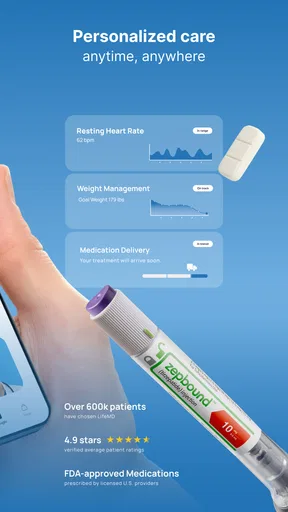
Weight support deserves extra care. People should be cautious with any service that makes weight management sound simple or universal. The right approach depends on medical history, mental health, eating patterns, medications, and personal goals. I would use the service to ask informed questions and discuss options, not to chase a quick result or judge progress by a single number.
Privacy is another reason to prepare carefully. A telehealth conversation may involve sensitive medical information, so I would use a private room, secure device access, and a connection I trust. This is not a criticism unique to LifeMD; it is simply part of using any digital medical service responsibly.
Small habits that improve the consultation
One useful habit is keeping a concise symptom diary before an urgent-care visit. Note when the issue began, what makes it better or worse, and whether it is changing. This prevents the common problem of remembering only the most recent moment once the consultation starts.
For wellness or weight support, I would define one practical question for the session. Examples include asking how to set a sustainable goal, what information a clinician needs, or how an existing condition may affect a plan. A focused question produces a more useful conversation than trying to solve every health concern at once.
I would also save the outcome of the consultation in my own health notes, including any recommended follow-up and warning signs. A virtual visit is easier to misuse when the user forgets what was discussed. Keeping a personal record helps connect the app’s advice with later care from a primary doctor or specialist.
These steps reveal an important trade-off: the app can make access easier, but the user still has responsibility for preparation and follow-through. The more complex the concern, the more valuable that preparation becomes.
Who should choose it
LifeMD is a good match for adults and teenagers who want a straightforward virtual healthcare entry point, especially when urgent care, weight support, and wellness are all relevant to their lives. It is also appealing to people who value convenience, dislike unnecessary travel, or want to explore a health question before arranging a traditional appointment.
It may be particularly useful for someone whose healthcare needs change from week to week. One day the priority may be a short-term concern; another day it may be a longer-term wellness goal. Having those routes in one medical app can reduce the mental load of finding a new service each time.
I would steer someone elsewhere when the situation is an emergency, when a physical examination is clearly needed, or when continuity with an established primary-care clinician matters more than quick virtual access. I would also recommend a more specialized service if the person needs focused care that goes beyond the areas LifeMD brings together.
My final assessment
LifeMD succeeds because it addresses a real problem: people often know they need health support but do not know which door to open. By combining urgent care, weight support, and wellness, it gives that uncertainty a practical structure. In my experience, that is more valuable than a crowded collection of loosely related health tools.
The app is free, developed by LifeMD, and currently sits at version 76.0.0 with support for operating systems from version 10 onward. Its Teen rating makes it accessible to a broad audience, but responsible adult guidance remains sensible for younger users and sensitive medical topics.
I would recommend it as a convenient first step, not as a complete healthcare system. Its best result comes when the user prepares well, chooses the appropriate care area, and understands when remote support is not enough. If that matches what you need, LifeMD is a sensible app to keep available for the moments when arranging care feels harder than it should.
Verdict
Strengths of LifeMD: Telehealth Services
- Easy access to licensed healthcare providers from home.
- Appointments are available for many common health concerns.
- Prescription delivery may be available in eligible locations.
- The app supports ongoing care for certain chronic conditions.
- Digital visits can save travel time and reduce waiting-room exposure.
Limitations of LifeMD: Telehealth Services
- Availability and services vary by state and local regulations.
- Insurance acceptance and coverage can differ between plans.
- Some treatments may require an in-person examination or lab work.
- Follow-up care may involve additional consultation or membership fees.
- Response times can vary during busy periods or outside regular hours.
Similar Picks in This Category
View All
WebMD: Symptom Checker
WebMD, LLC4.1

Microphone Amplifier
DOSA Apps4.2

Anatomy Learning - 3D Anatomy
3D Medical OU4.5

Period Tracker and Calendar
SimpleInnovation4.9

GoodRx: Prescription Coupons
GoodRx4.8

CVS Health
CVS Pharmacy4.5
Frequently Asked Questions
What is LifeMD: Telehealth Services, and what can I use it for?
LifeMD is a telehealth platform that lets you connect with licensed healthcare professionals through your phone or another supported device. Depending on your location and eligibility, you may use it for general medical consultations, prescription-related care, mental health support, women’s health, men’s health, weight management, and other specialized services. Available treatments and appointment types can vary by state, medical history, and current membership options.
Do I need a membership to use LifeMD, and how much does it cost?
LifeMD may offer both membership-based programs and service-specific care options, so the total price depends on the treatment or consultation you choose. Some plans can include recurring charges, provider visits, follow-up support, or medication-related services, while prescriptions and pharmacy costs may be separate. Before enrolling, carefully review the displayed pricing, billing frequency, cancellation terms, and any insurance information provided in the app.
Can LifeMD prescribe medication through an online appointment?
A LifeMD provider may prescribe medication when it is clinically appropriate and legally permitted in your location, but a prescription is never guaranteed. The provider will review your symptoms, medical history, current medications, and other relevant information before making a decision. Certain controlled substances, urgent conditions, or treatments requiring an in-person examination may not be available through telehealth, and pharmacy availability can also vary.
Is LifeMD suitable for emergencies or serious medical symptoms?
No. LifeMD is intended for non-emergency medical care and ongoing support, not for life-threatening situations. If you experience chest pain, severe breathing problems, signs of a stroke, serious allergic reactions, heavy bleeding, suicidal thoughts, or another urgent condition, contact local emergency services or go to the nearest emergency department immediately. Telehealth providers may also direct you to in-person care when an online consultation is not sufficient.
What information should I prepare before using LifeMD?
To make your consultation more useful, prepare a list of your symptoms, when they began, relevant diagnoses, allergies, current medications and supplements, previous treatments, and any recent test results. You may also need to provide identification, insurance or payment details, and accurate health information through the app. A reliable internet connection, a private location, and access to your pharmacy information can help the appointment proceed more smoothly.
